
Create a phase-by-phase template for each floor plan. Every new lot starts with a real schedule, not a blank spreadsheet. Weather delays and inspection holds handled with one click.
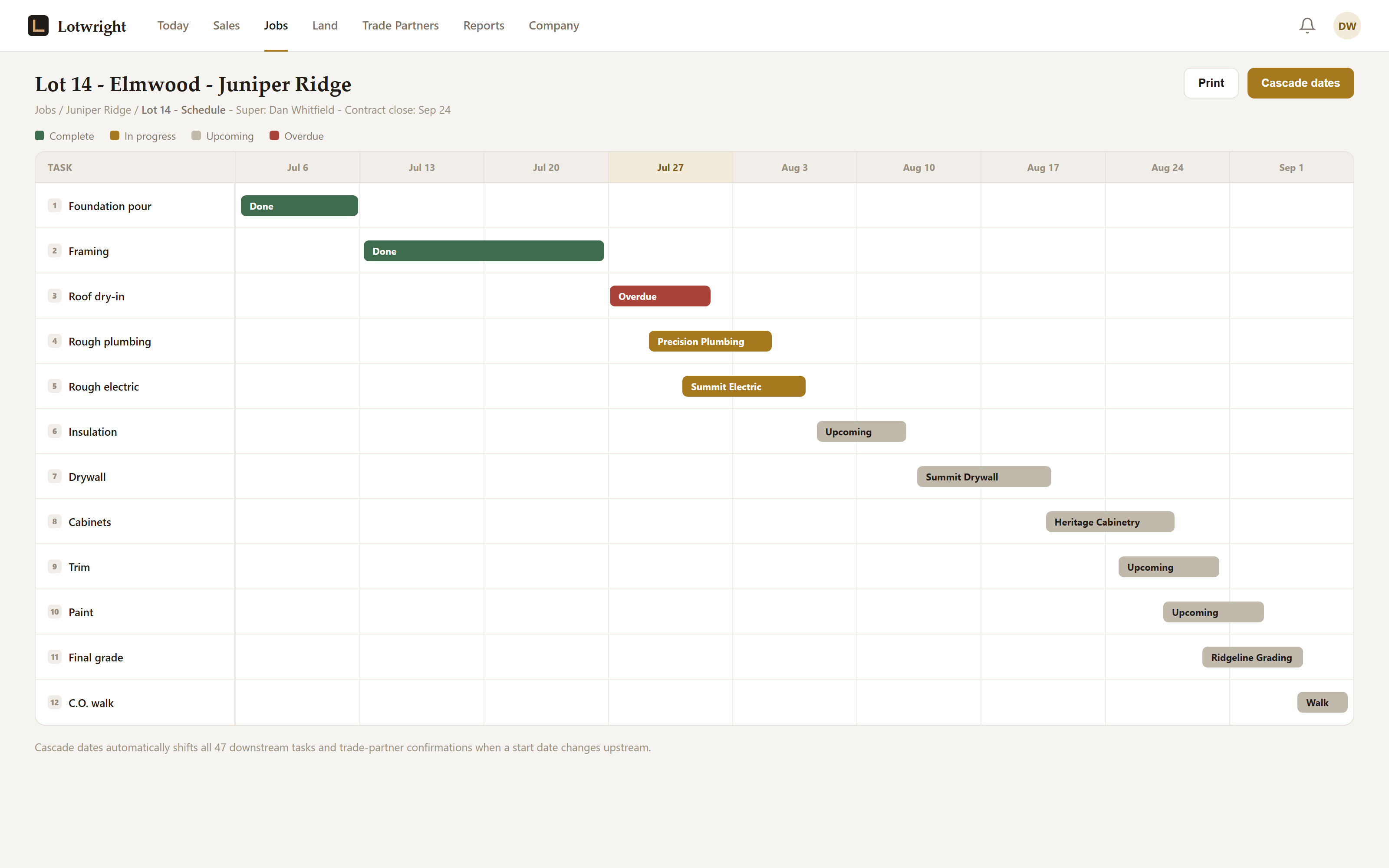
One overdue phase, one click to cascade every downstream task and trade-partner confirmation.
Rebuilding a schedule from scratch on every lot means someone forgets a phase, a permit timing rule specific to your state, or the lead time on cabinets. When a rain delay or a backed-up inspector hits, every downstream date has to be pushed by hand, phase by phase.
Build the template once. Every new lot inherits it. State overlays handle everything that changes mid-job.
Build a phase-by-phase template for each plan: Site, Foundation, Frame, Rough Mechanical, Insulation, Drywall, Finish, Final. Set durations, predecessor logic, and trade assignments.
When a new lot is created, the schedule populates automatically. Phase start dates calculate from the planned lot start date, no manual date entry on every job.
Rain delay? Inspector backed up? Material stuck in transit? Apply the right overlay with one click and downstream phases push automatically. Every change is logged.
Trade partners only see the phases that involve their trade, no confidential pricing, no other trades' timelines. Their portal shows what they need, when they need it.
Seven phases in progress. One inspection hold applied. Downstream phases automatically adjusted.
Every phase and its state-specific requirements are already in the template. No relying on memory for what Florida termite pretreat or Texas post-tension inspection require.
A rain delay pushes every downstream phase automatically. No manually retyping dates across 150 tasks because one inspection ran long.
See every active lot across every community at once, which jobs are behind, which overlays are applied, and what's due this week.
Not a generic project manager. Not a calendar app. Built for the 8-phase production home with predecessor logic and trade-scoped visibility.
Build one template per plan type. Two-story vs. single-story, slab vs. basement, each gets its own phase structure and durations. Apply to any lot in any community.
Phases wait on predecessors. Framing can't start until foundation passes inspection. Change one date and the whole downstream schedule adjusts.
When a phase goes active, Lotwright notifies the assigned trade automatically. No calls, no texts, no "did you see my message?" The trade partner confirms or flags an issue in the portal.
Trade partners only see phases relevant to their trade. No confidential pricing, no other trades' schedules. Their portal shows exactly what they need, nothing more.
When a super marks a phase complete, they can attach photos to document the finished work. Photos store against the phase permanently, proof of completion when disputes arise later.
See all active lots across every community on one screen. Spot which jobs are running behind, which overlays are applied, and which phases are due this week, at a glance.
Included in Standard tier ($199/mo). Free during the beta for Founding Builders.
Apply for Beta →