
All systems operational Help center →
A day, run by the numbers

What actually changes when you switch.

Not a feature tour. This is one ordinary day on an active job, before and after the tools you're using today.

6:30 AM · Coffee, phone in hand

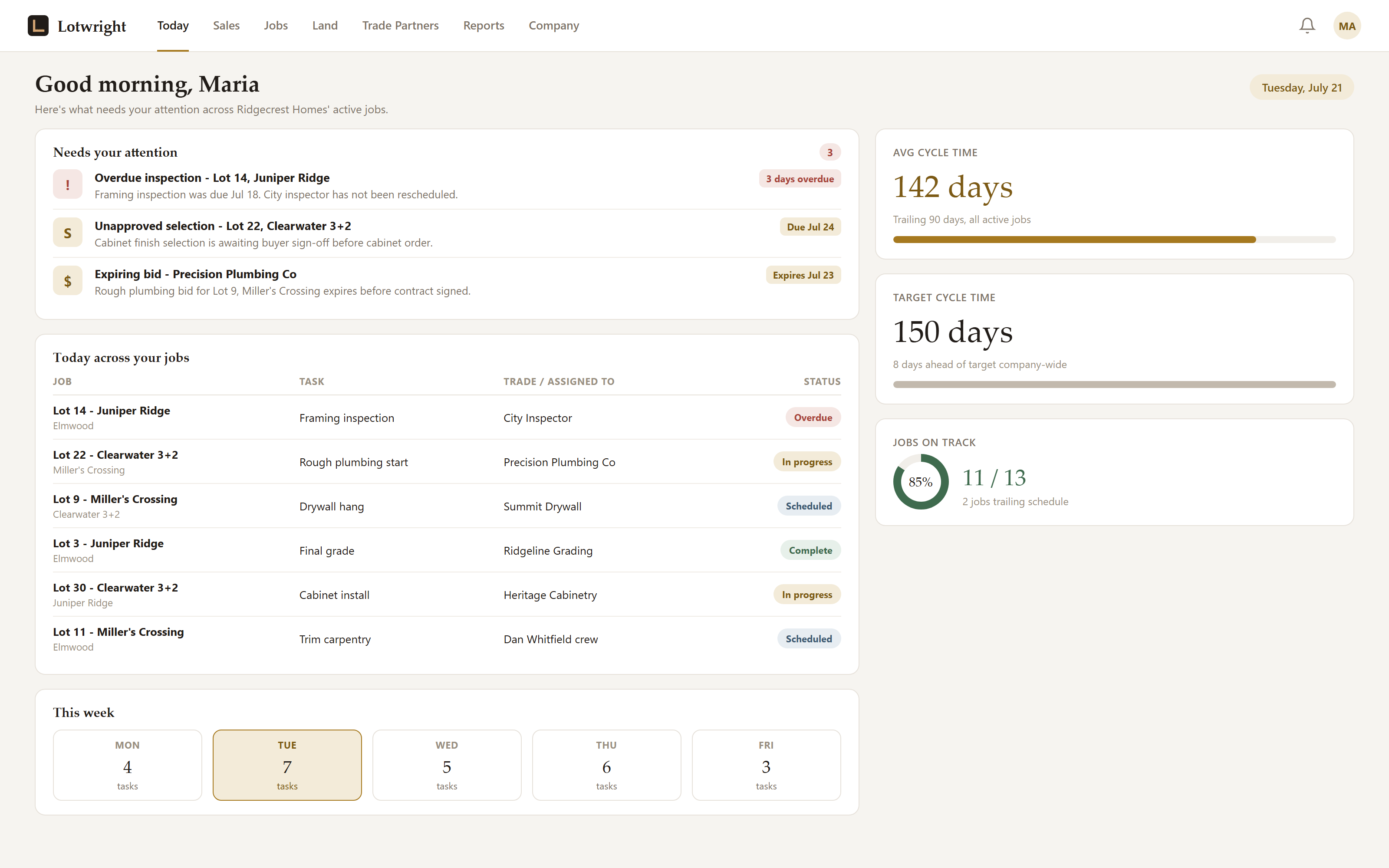
The Today brief tells you what needs a decision before you've left the house.

Every active job, one screen: what's on track, what's behind, what needs your call today. You walk in already knowing where the fires are, instead of finding out on your third phone call.
app.lotwright.com/today
Today view listing every active job with status flags and items needing a decision
10:15 AM · The permit finally lands

One date moves, and the whole schedule cascades with it.

Foundation type sets your 150-task template with dependencies already built in. When the permit comes in three days late, you don't re-type every downstream milestone by hand: the cascade handles it, and every trade partner sees their updated date the moment it changes.
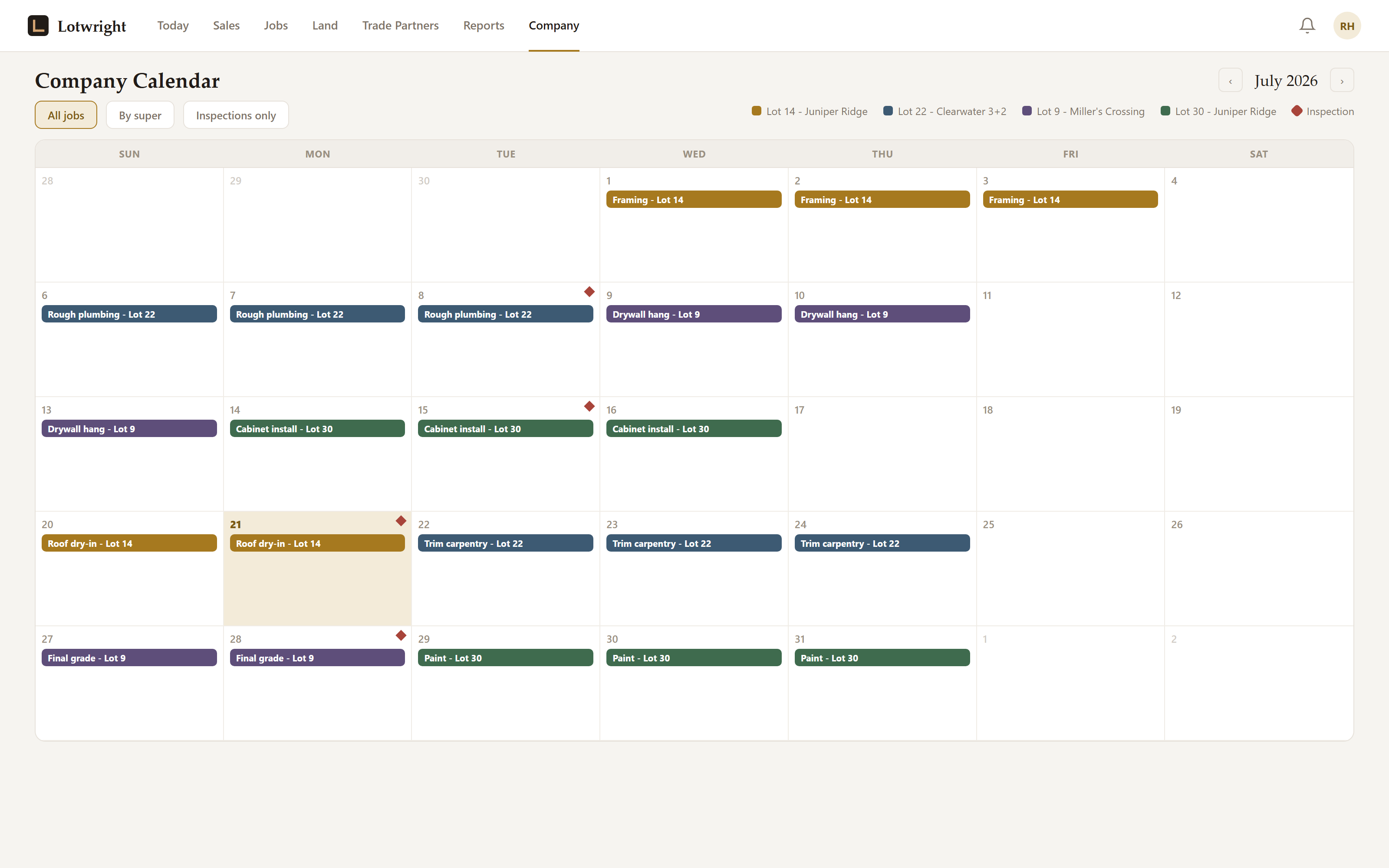
The company calendar rolls every active job into one view; each super also gets a calendar scoped to just their own jobs, so nobody's digging through jobs that aren't theirs.
app.lotwright.com/calendar
Company calendar showing every active job's schedule, with a per-super filtered view
1:40 PM · Walking Lot 22

Talk through what you see. Leave with a punch list already assigned.

Record a voice walk on your phone as you go. It comes back transcribed and structured into individual punch items, each one tagged with location, urgency, and the trade responsible, routed automatically. No notes app, no typing with gloves on.
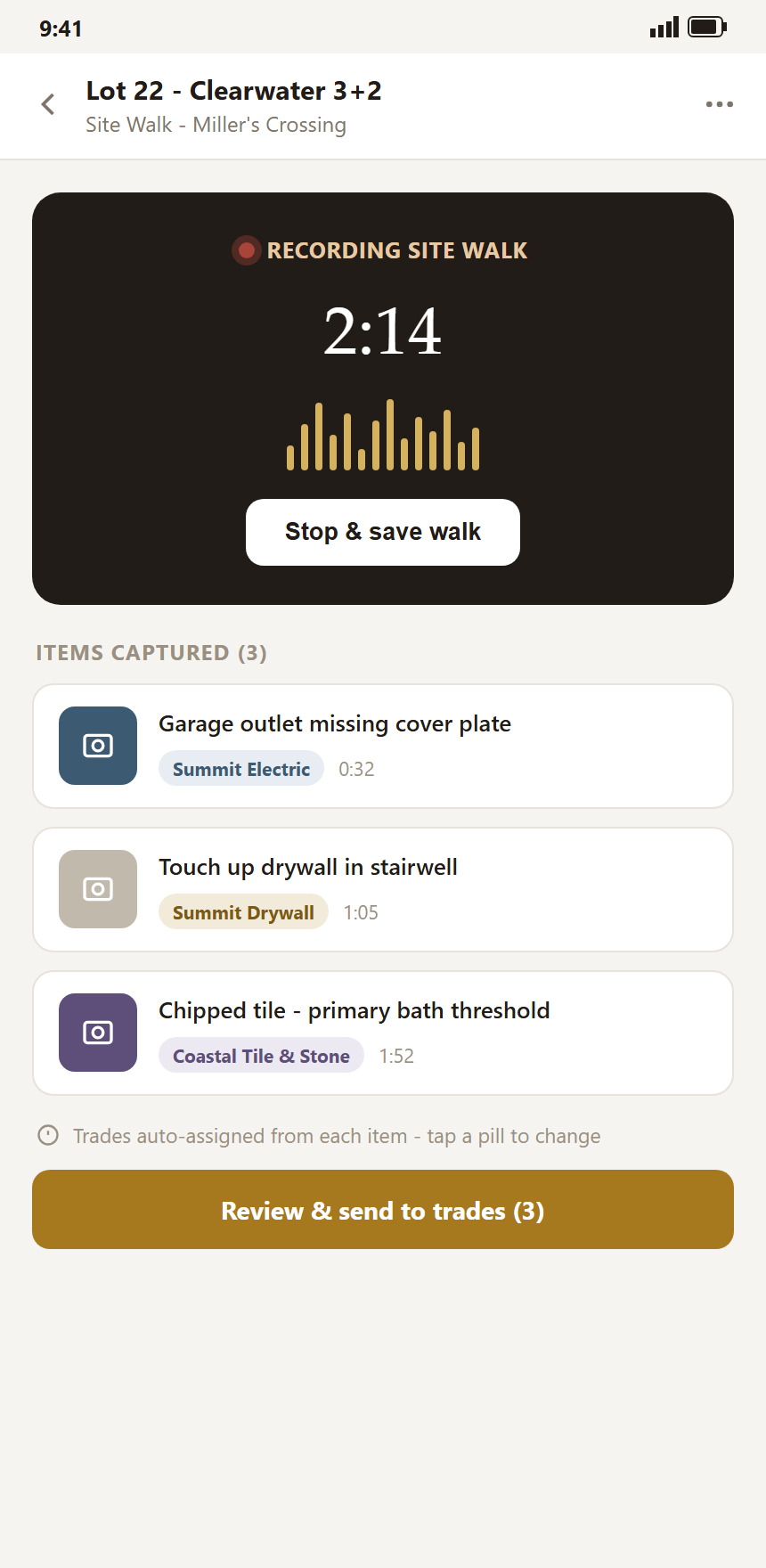
Mobile voice walk screen showing a recording in progress and a structured punch item
4:50 PM · Buyer's ready to sign

Your margin is visible before the pen touches paper.

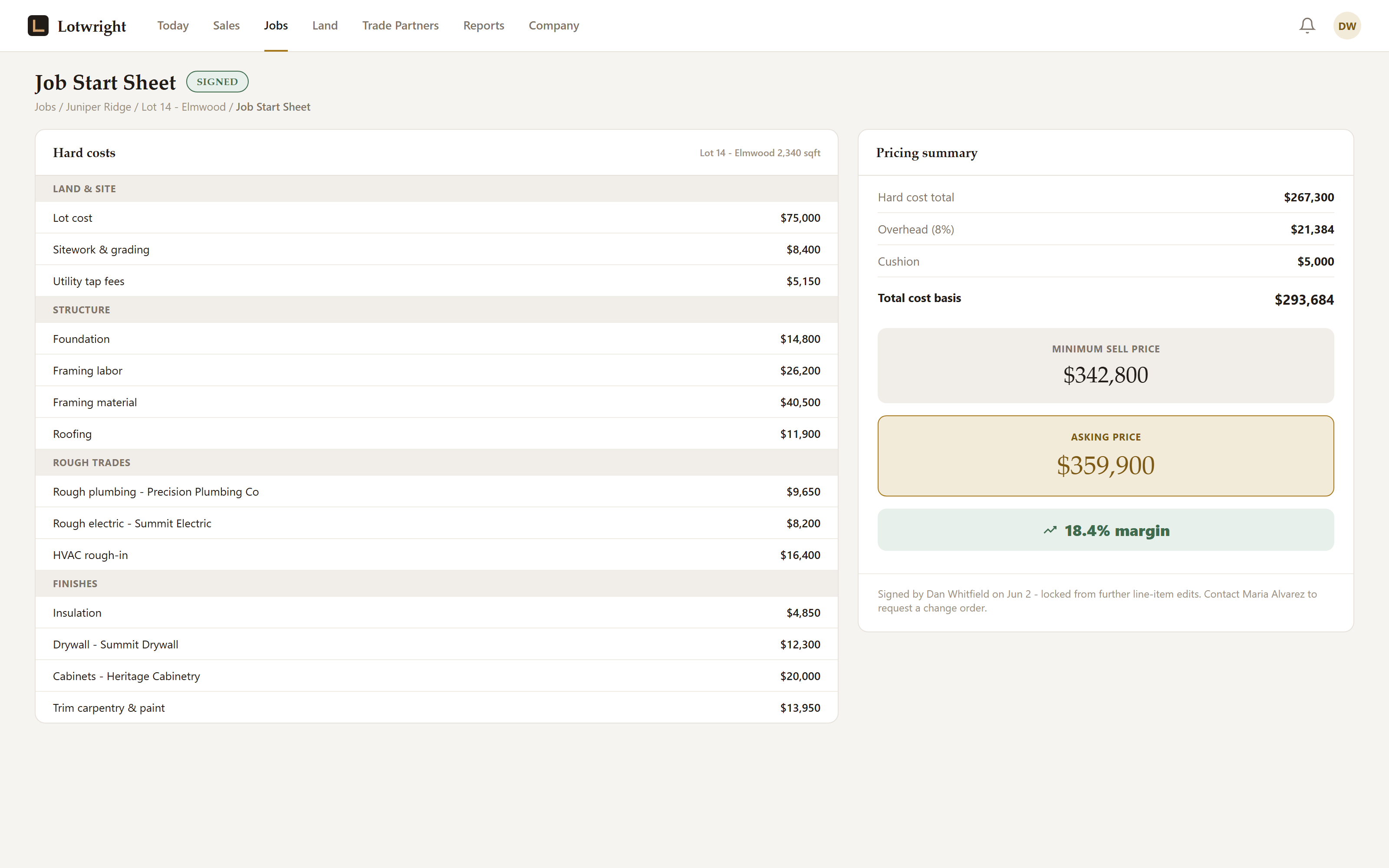
The Job Start Sheet pulls pricing from your saved plan library, with the minimum sell price and margin floor already enforced. If a number comes in below your line, it can't go out for signature without an explicit owner override. No surprise at closing.
app.lotwright.com/job-start-sheet
Job Start Sheet showing pricing with minimum sell price and margin floor enforced before signature
The honest questions

What builders actually ask before switching.

No script. These are the real objections, and the real answers.

My supers won't want to learn new software.
The core loop is a voice recording and a Today brief; there's less to learn than a new spreadsheet template. Most supers are productive inside a day, because talking through a lot is what they already do, just without the follow-up typing.
Isn't this just another legacy platform with an AI wrapper?
Legacy platforms were built for enterprise builders with IT departments. Lotwright is built specifically for the 10-100 home builder from the ground up, at half the monthly price, with voice walks and a margin floor that legacy platforms don't offer at all.
I don't have time to switch mid-project.
You don't have to move every open job on day one. Start with the next lot you break ground on, keep running current jobs the way you already do, and migrate as they close out.
What if the AI gets a punch item or estimate wrong?
Nothing goes to a trade partner or a buyer without a person seeing it first. AI estimating always shows a confidence band, never a single number, and requires builder review before it flows anywhere. You stay the final decision every time.
Founding Builder Program

The first 25 builders lock in pricing for life.

Weekly feedback calls with the founder, full features regardless of tier, and a rate that never goes back up.

6 mo
Free during the beta
30%
Off for life after
Direct
Founder access (call/text)
Apply for the Founding Builder Program
Apply for the Beta